
Apple Business Connect has been folded into the unified Apple Business platform, and every listing feature you used before still works the same way under the new name. Your first move is to sign in and confirm your claimed locations and verification status. The service is still free, and Apple carried over most of your existing data automatically, but you should not assume that nothing needs your attention.
TL;DR:
Verify that your claimed business category and posted hours are accurate and up-to-date to prevent customer confusion or lost sales. Use a strong, specific category and regularly update your showcase promotions and action links to maximize customer engagement. Prepare all necessary verification documents beforehand and choose the quickest method, such as phone verification, to avoid delays. For multiple locations, consider agency support to ensure consistent listings, fast verification, and ongoing management across all sites. Prioritize claiming your Apple Business listing promptly, as it requires minimal effort and offers high marketing returns, especially when combined with other local profiles.
What Changed With the Apple Business Connect Migration?
Apple announced its consolidated Apple Business platform in March 2026, merging Apple Business Connect, Apple Business Manager, and Apple Business Essentials into one dashboard. The stated goal was simple: stop making owners juggle separate consoles for device management and place-card editing when both live under the same business account.
If you had an active Business Connect listing, your claimed locations, place card content, uploaded photos, and account settings all migrated automatically. Nothing forced you to rebuild from scratch.
That said, migrations rarely land perfectly for every account. Once you’re in, check three things first: your business category, your posted hours, and whether your action links still point where they should. A stale link or wrong category is an easy fix now and a lost customer later.
What Can You Edit on Your Apple Business Listing?
Your place card is the core unit of your Apple Business presence, and it’s worth treating each field as a small piece of your storefront rather than an afterthought.
- Basic info (NAP): your business name, address, and phone number, plus hours, a short description, and your website link.
- Showcases: timed promotional cards for sales, seasonal hours, or new offerings, useful for anything with a start and end date.
- Custom Action Links: buttons like Book, Order, Reserve, or Shop that let customers take action straight from Apple Maps, Siri results, or Messages without visiting your site first.
- Media: your logo, a cover image, and a photo gallery that shows your storefront, product, or team.
Action Links deserve extra attention. Apple’s own feature description frames them as conversion tools, not decoration, and an underused booking link can shorten the path from search to sale more than most owners expect.
How Do You Claim and Verify an Apple Business Listing?
Setting up or verifying a listing takes under an hour for most single-location businesses. Here’s the sequence:
- Sign in with your Apple ID at the Apple Business portal, then go to Brands > Locations.
- Search for your business. If it already exists, claim it. If not, add it as a new place with accurate name, address, and category.
- Choose a verification method. Apple Support outlines phone or document verification, and some accounts qualify for DNS or App Store Connect verification instead.
- Complete phone verification if offered. According to hands-on reporting from MacObserver, this step is often instant.
- Upload documents if phone verification isn’t available. Expect up to roughly five business days for review.
- Prepare your assets beforehand: a government-issued business registration document, your logo file, cover photo, and a list of accurate hours including holidays.
- Run post-verification checks: confirm your category, re-check your action links, and preview how your place card actually renders in Apple Maps.
- Match your NAP everywhere. Your name, address, and phone number should read identically across Google, Bing, and Apple Business, since mismatches can confuse both customers and search indexing.
- Pick the most specific category available, not the broadest one, and keep hours current, including holiday hours.
- Upload a clean logo, a wide cover photo, and a small gallery, favoring images at least 1024 pixels on the longest side.
- Add and test one relevant Action Link and click it yourself to confirm it lands where you intend.
- Refresh your Showcase seasonally instead of leaving a stale promotion running for months.
- Business
- Introducing Apple Business — a new all-in-one platform for businesses of all sizes – Apple
- Add a location in Apple Business – Apple Support
- How to use Apple Business Connect / Apple Business (MacObserver)
Have your documents ready before you start. Verification stalls more often from missing paperwork than from any technical problem on Apple’s end.
What Are the Best Apple Business Optimization Practices?
A completed, accurate listing beats a perfect one you never finish. Prioritize these:
Pro Tip: Set a recurring 15-minute quarterly reminder to review your listing. Businesses that touch their profile regularly tend to catch broken links and outdated hours before customers do.
If you run a website with structured data, keeping your LocalBusiness schema helps avoid the kind of conflicting signals that can confuse local search results.
How Do You Fix Verification Delays or Duplicate Listings?
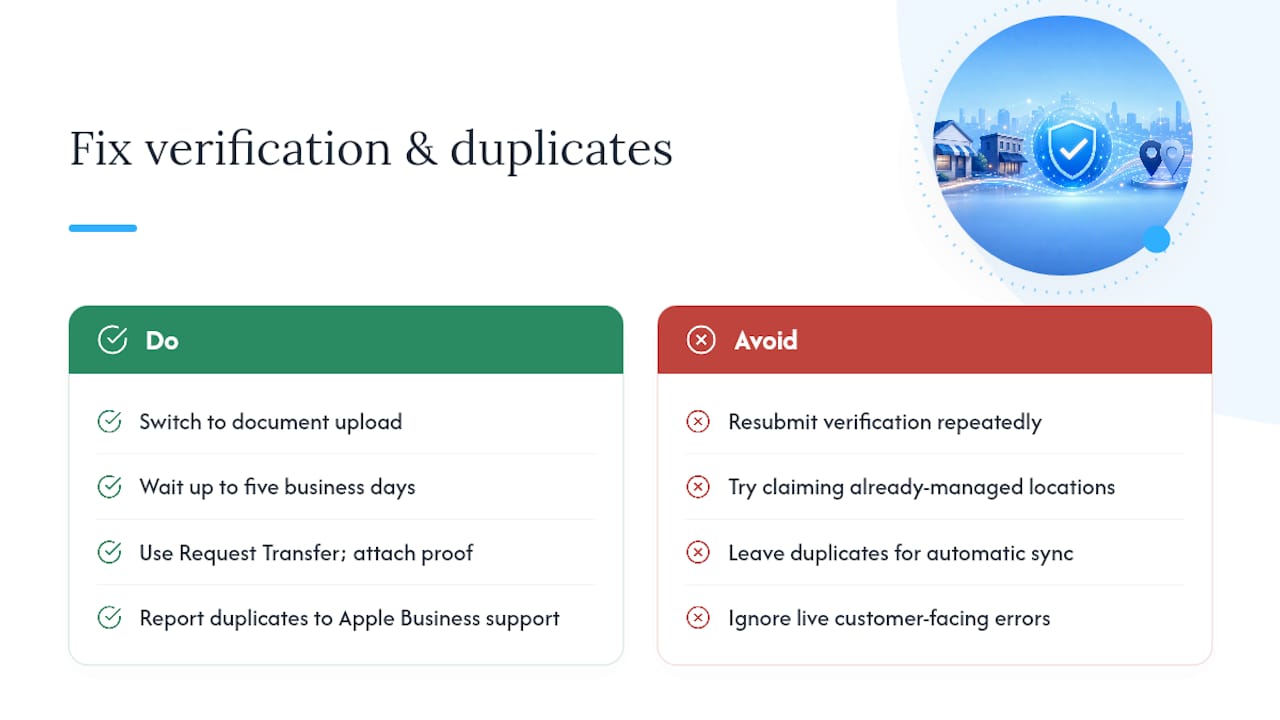
If phone verification fails, switch to document upload and plan for up to five business days rather than resubmitting repeatedly. For a location already managed by another person or organization, use the Request Transfer option and attach proof of ownership, like a utility bill or business license, rather than trying to claim it fresh.
Duplicate or incorrect place cards should be reported directly through Apple Business support, not left for the next automatic sync. Escalate to support when a fix affects live customer-facing information, like a wrong phone number, and wait out routine cosmetic issues that tend to resolve on their own.
How Does Agency Support Help Manage Apple Business Listings?
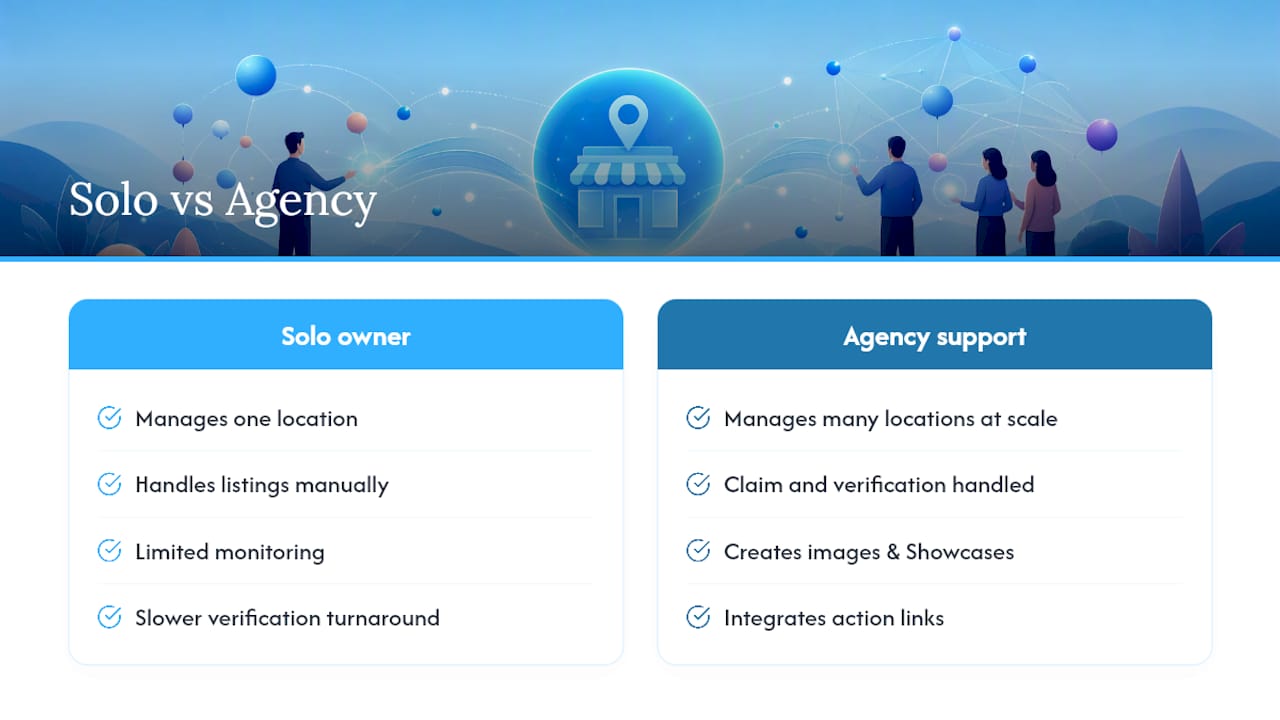
Handling one Apple Business listing is manageable solo. Managing ten, thirty, or a hundred locations with consistent categories, fresh Showcases, and working action links is a different job entirely.
A digital marketing agency can support business owners through claim and verification, image and Showcase creation, action-link integration, and multi-location governance, with ongoing monitoring so listings don’t quietly drift out of date. The practical outcome is faster verification turnaround, consistent listing accuracy across every location, and stronger near-me visibility that turns into more bookings and orders.
Should Small Businesses Prioritize Apple Business Now?
Claiming and finishing your Apple Business listing is one of the highest-return, lowest-effort tasks on your marketing list. It costs nothing and takes less time than a single ad campaign setup.
If you’re stretched thin, claim Google first, but don’t let Apple sit for months. Set a quarterly reminder to check your photos, hours, and action links.
Frequently Asked Questions
Is Apple Business Connect still free?
Yes. Claiming and editing your place card costs nothing. The platform was renamed and merged into Apple Business, but the listing features work the same way.
How long does Apple verification take?
Phone verification is often instant. If you have to upload documents instead, plan for up to five business days, and do not resubmit repeatedly while you wait.
What if someone else already manages my listing?
Use the Request Transfer option and attach proof of ownership, such as a utility bill or business license, rather than trying to claim the location fresh.
Sources
Share This Article
Found this useful? Send it to another owner who is still invisible or duplicated on Apple Maps.
Share on Facebook · Share on X · Share on LinkedIn · Share on Pinterest
Want More Information? Let’s Talk.
If you would rather not take this on yourself, we handle it for you. Our Business Listings & Voice Search service takes care of the setup and the ongoing work, then reports back so you can see exactly what changed. You keep running your business; we keep this moving.
Call us at 631-825-9464 or reach out here. No pressure, no obligation, and you can ask us anything — including whether this is even worth doing for a business your size.
Looking ahead, request your free roadmap analysis and we will map out a 12-month plan to close the conversion leaky bucket so more of the customers you already reach turn into booked work.
Written by Joe Leineke · Content on this blog is generated with AI assistance and independently reviewed and fact-checked by human marketing professionals for accuracy and quality.