Connecting a chatbot to your CRM turns ordinary chat sessions into contextual, trackable conversations that write directly into your customer records with AI lead sync and automation. That connection speeds up the path from first message to closed deal or resolved ticket. Teams see faster response times, better qualified leads, and far fewer manual data entry tasks once the bot and CRM talk to each other.
What a CRM-connected chatbot is and why teams integrate one
A CRM-connected chatbot reads and writes customer records in real time. When someone starts a chat, the bot pulls up their history, open tickets, or deal stage, then logs new details back into the CRM as the conversation unfolds. That two-way flow is what separates a true integration from a standalone chat widget that forgets everything after the session ends.
Most businesses pursue this setup for three reasons:
- Capture and qualify leads automatically, without a rep manually re-typing form fields.
- Speed up support by giving the bot (and any human who takes over) full context instantly.
- Replace repetitive manual CRM updates with automated, trackable events.
A B2B software company might use this to route a demo request straight to the right sales rep’s pipeline. A local service business might use it to log an appointment request as a qualified lead the moment someone asks about pricing.
How integration works: systems, data flows, and common architectures
Every chatbot CRM integration follows a similar sequence, even when the tools behind it differ.
- The bot identifies the user, usually by email, phone number, or an existing CRM record match.
- It pulls relevant CRM context, like deal stage, past tickets, or purchase history.
- It generates a response informed by that context.
- It logs the event and updates the CRM record, whether that’s a new lead, a note, or a ticket.
- Native connectors: the fastest path for standard CRMs and common use cases like lead capture or basic support routing.
- Direct API integrations: better for custom field mapping and tighter access control, though they take more setup time.
- Webhooks: ideal for triggering events like ticket creation or escalation the moment something happens in the chat.
- Middleware or iPaaS platforms: useful when a chatbot needs to coordinate with a CRM, a help desk, and a marketing tool all at once.
- Define the measurable outcomes you want: faster lead response, fewer manual updates, higher ticket deflection.
- Audit your CRM data model. Identify the identity keys (email, phone, account ID) and required fields the bot will read or write.
- Map every event the bot will trigger, such as new leads, ticket creation, or status updates, and define a clear handoff point to a human agent.
- Choose your integration method (native connector, API, webhook, or middleware) and provision scoped API credentials, never a full-access admin key.
- Test with realistic conversations. Confirm CRM writes land correctly and check how the system handles errors or missing data.
- Deploy, monitor logs closely in the first weeks, and set a recurring cadence to review and refine the flows.
- Use least-privilege API credentials, scoped to only the CRM fields and actions the bot actually needs.
- Avoid sending unnecessary personal information to third-party models; redact or tokenize sensitive fields before they leave your system.
- Set clear retention and deletion policies, and account for COPPA requirements if there’s any chance the chatbot interacts with users under 13.
- Keep audit trails for every CRM write the bot makes, and monitor model access as part of your broader incident response plan.
- Operational: ticket deflection rate, average handle time, escalation rate.
- Revenue: qualified leads captured, conversion rate lift, time-to-contact for new leads.
- Quality: CSAT or NPS scores on bot-handled sessions, plus false positive and false negative rates on routing decisions.
- We start every project with two prioritized conversational flows and one clear project owner, which keeps timelines tight and avoids scope creep.
- We design access controls and data handling around least-privilege principles from the first integration test.
- We track the same KPIs we recommend here: lead capture, conversion lift, and support deflection, so results are measurable from week one.
- Get a clear picture of your current lead capture gaps.
- See a 12-month Growth Roadmap built around your actual CRM setup.
- Walk away with a specific plan, not a generic audit.
Several architectures can carry that data flow. A native connector links the chatbot platform and CRM directly, with minimal setup. A direct API integration gives developers more control over exactly which fields sync and how. Webhooks fire events (a new lead, a completed booking) to trigger CRM actions in real time. Middleware or iPaaS tools sit between multiple systems when more than one platform needs to stay in sync. Some setups use an agent-based proxy to manage more complex, multi-step workflows.
Wherever a generative model sits in this chain, it should only see the CRM fields it needs to answer the question at hand, not the full customer record.
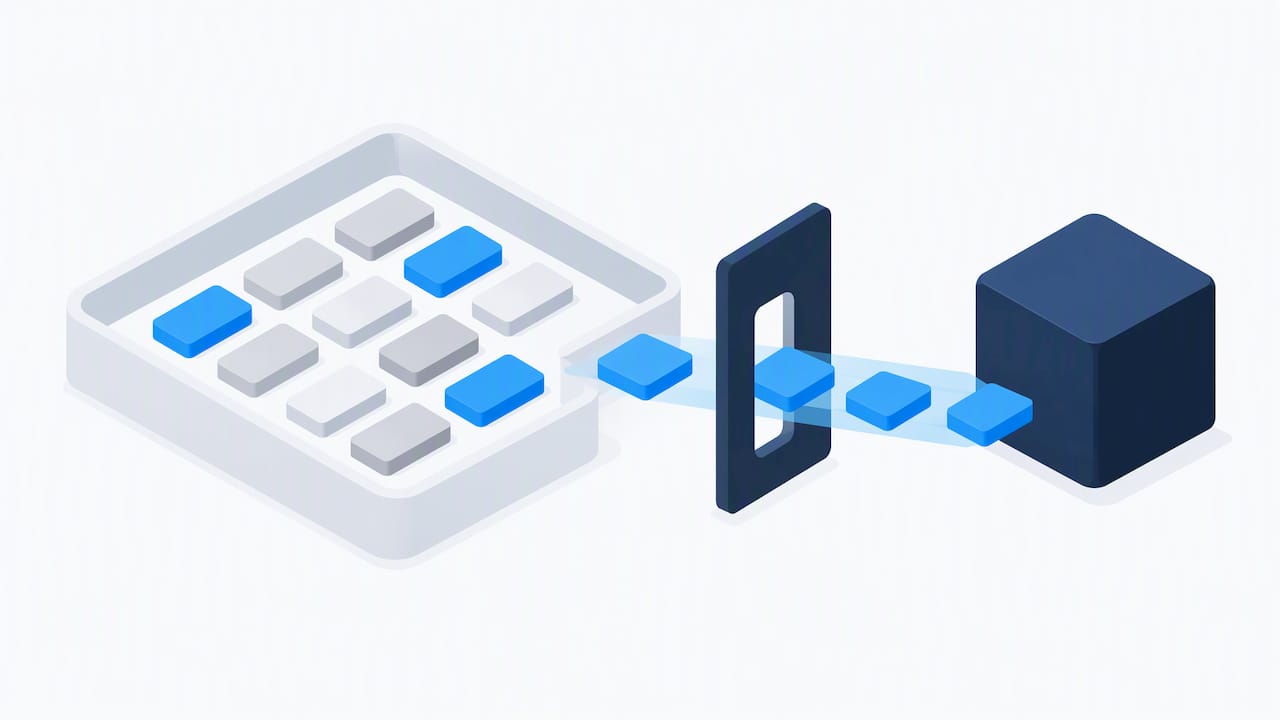
Common integration options and connectors
Picking the right connection method comes down to how much control you need versus how fast you need to launch.
Hosted chatbot models, where conversations run through a third-party provider’s servers, raise a separate question: how much customer data is shared with that provider, and under what consent terms. That’s worth confirming before you sign on with any platform.
Pro Tip: Start with a native connector if one exists for your CRM. You can always move to a custom API integration later once you know exactly which fields matter.
Step-by-step implementation checklist for a successful chatbot CRM integration
A successful rollout follows a predictable sequence:
Teams that launch with two prioritized conversational flows and one clear project owner tend to reach usable results faster, with far less scope creep than teams trying to automate everything at once.
Security, privacy, and governance: essential controls for AI-CRM integrations
Protecting customer data through this kind of integration isn’t optional, and it starts with how credentials and data access are scoped.
Model-as-a-service providers often use customer conversations to refine their own models, which creates real privacy exposure if those practices aren’t disclosed, a risk the FTC has flagged directly. The NIST AI Risk Management Framework recommends defining clear acceptable-use policies for generative AI interfaces and folding that governance into your broader enterprise risk process, a useful baseline for any team connecting a chatbot to live customer data.
Measuring success: KPIs and metrics to track after integration
Once your integration is live, a handful of metrics tell you whether it’s actually working.
Name your events clearly from day one, things like “bot_lead_created,” “bot_escalation,” and “bot_session_csat,” so your dashboards stay readable as volume grows. Review these numbers on a set cadence, and give any A/B test enough sample size before drawing conclusions.
How we implement integrations and what sets our approach apart
Our team builds chatbot CRM integrations as part of a broader AI agent setup, paired with CRM automation work and our Conversion Roadmap and 12-month Growth Roadmap planning process.
Clients working with us on conversion-focused projects have reported up to fourfold gains in online performance, and our chatbot lead generation guide covers specific flow examples worth reviewing before kickoff.
Agency versus in-house: a quick take on who should build this
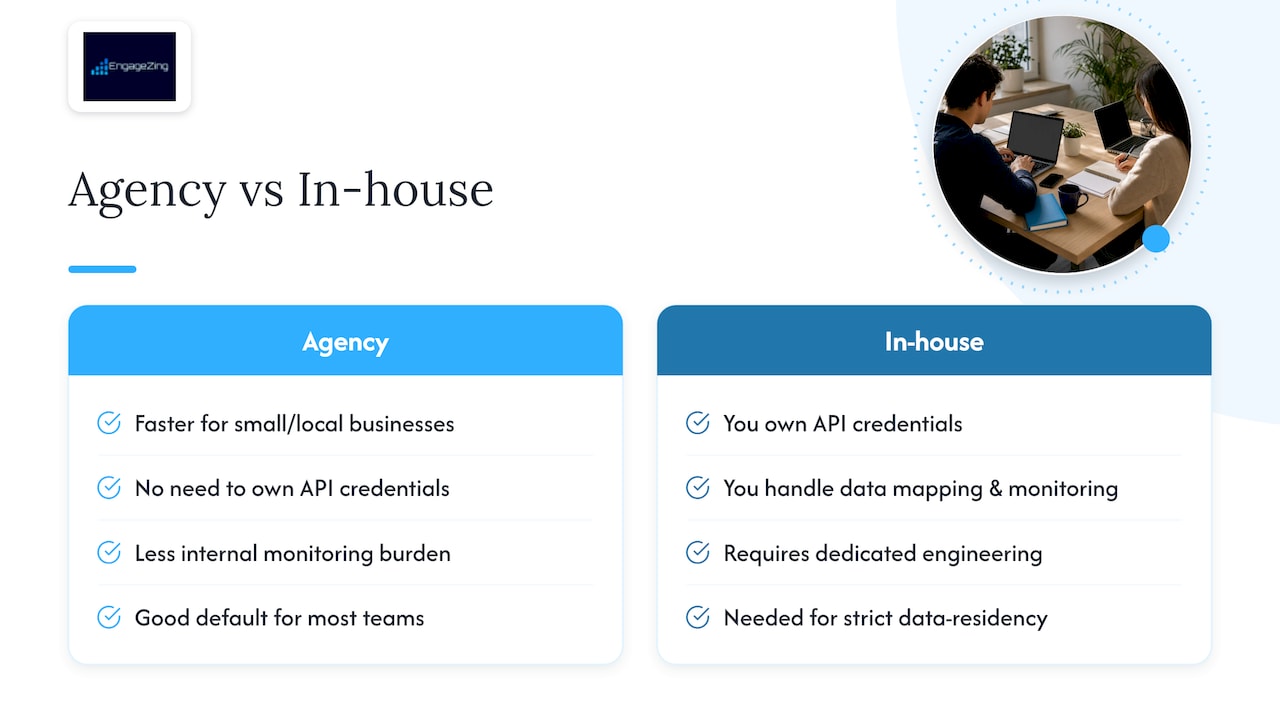
Small and local businesses usually move faster with a managed partner. Building and maintaining a chatbot CRM integration in-house means owning the API credentials, the data mapping, and the ongoing monitoring, work that competes with whatever your team is already doing. An in-house build makes more sense when you have dedicated engineering resources or strict data-residency requirements that call for full internal control.
For most teams, the practical next step is a short scoping conversation before committing to either path.
Get a Roadmap Analysis before you build anything
We offer a Roadmap Analysis that maps out exactly where your chatbot and CRM setup stands today, and where the gaps are costing you leads.
Once we’ve reviewed your current setup, we can point you toward the services that fit best, whether that’s our AI agent integration, a full Conversion Roadmap, or a Winning Websites rebuild designed around where your chatbot sits in the customer journey.
Visit our roadmap analysis page to get started .
Frequently Asked Questions
Can you create a CRM with AI?
AI tools can help build custom fields, automate workflows, and generate reports within an existing CRM, but most businesses integrate AI chatbots with established CRM platforms rather than building a CRM from scratch. The practical path for most teams is connecting a chatbot to a CRM like Salesforce or HubSpot through a native connector or API.
Which API is best for chatbots?
There’s no single best API. The right choice depends on your CRM platform and how much control you need over field mapping; platforms like Microsoft Dynamics 365 document their virtual agent configuration in detail, which is a useful reference point regardless of which CRM you use.
What is CRM integration?
CRM integration means connecting your CRM to another tool, like a chatbot, email platform, or help desk, so data flows between them automatically instead of requiring manual entry. For chatbots specifically, that means the bot can read customer context and write new information back into CRM records in real time.
Will CRM be replaced by AI?
AI is changing how CRMs get used, automating data entry and surfacing context faster than manual processes allow, but it’s enhancing CRM platforms rather than replacing them. Large organizations continue to rely on established CRM infrastructure, including Salesforce’s cloud environment, while layering AI tools like chatbots on top.
Share This Article
Found this useful? Send it to another owner who is still has a chatbot that talks but never syncs.
Share on Facebook · Share on X · Share on LinkedIn · Share on Pinterest
Want More Information? Let’s Talk.
If you would rather not take this on yourself, we handle it for you. Our 4X Conversions service takes care of the setup and the ongoing work, then reports back so you can see exactly what changed. You keep running your business; we keep this moving.
Call us at 631-825-9464 or reach out here. No pressure, no obligation, and you can ask us anything — including whether this is even worth doing for a business your size.
Looking ahead, request your roadmap analysis and we will map out a 12-month plan to close the conversion leaky bucket so more of the customers you already reach turn into booked work.
Written by Joe Leineke · Content on this blog is generated with AI assistance and independently reviewed and fact-checked by human marketing professionals for accuracy and quality.